Mario Kart Tour
Copilot
The Challenge
Mario Kart Tour players often rely on external content like videos, forums, or guides to improve their performance. While the information exists, it's fragmented and slow to access, especially when players are trying to optimize their progress efficiently.
The goal of this project was to design a companion app that centralizes that information and makes it immediately accessible, helping players improve without interrupting the flow of the game.
Research & Direction
The focus was on players who are driven by progression and performance—those aiming to unlock achievements, improve rankings, and optimize races. These users are already actively searching for strategies, but the process is inefficient and disconnected from the game experience.
The key insight was that the problem isn't the lack of content, but how it's accessed. The opportunity was to structure that information in a way that feels fast, intuitive, and contextual.
Visual Approach
The interface builds directly on the visual language of Mario Kart, using saturated colors, rounded shapes, and playful UI elements. Rather than introducing a new style, the goal was to extend the existing identity into a companion product that feels familiar and cohesive.
Gradients, bold iconography, and clear visual hierarchy help maintain readability while keeping the energetic tone of the game.
Process
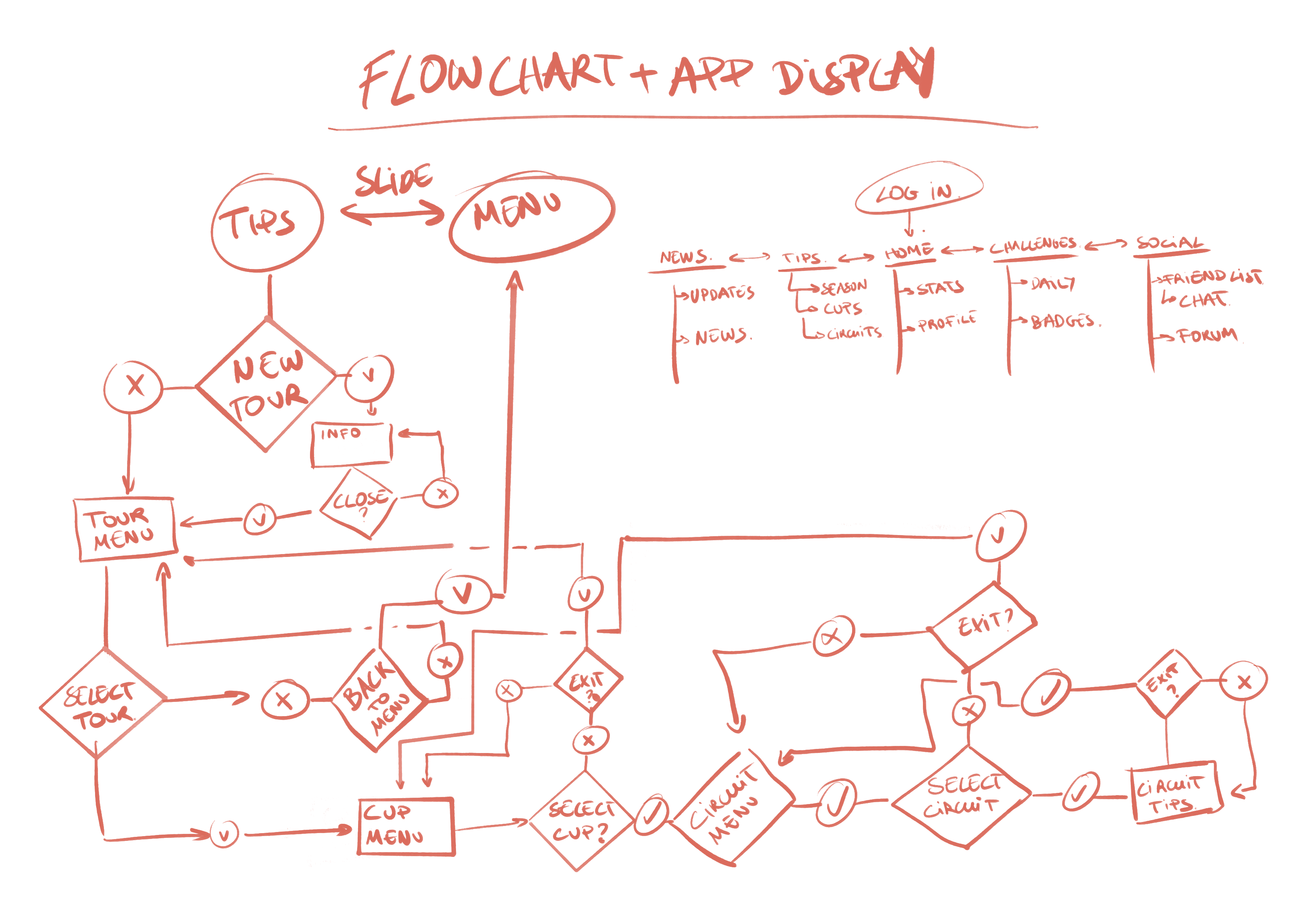
The project started with quick sketches to define the structure and navigation. Mapping the flow early made it easier to understand how different sections relate to each other and helped avoid unnecessary complexity later on.
From there, the full system was developed in Adobe XD, where screens, components, and interactions were built and iterated as a connected experience rather than isolated views.
Design & Experience
The app is structured around the player's main goals: improving performance, tracking progress, and accessing relevant information quickly.
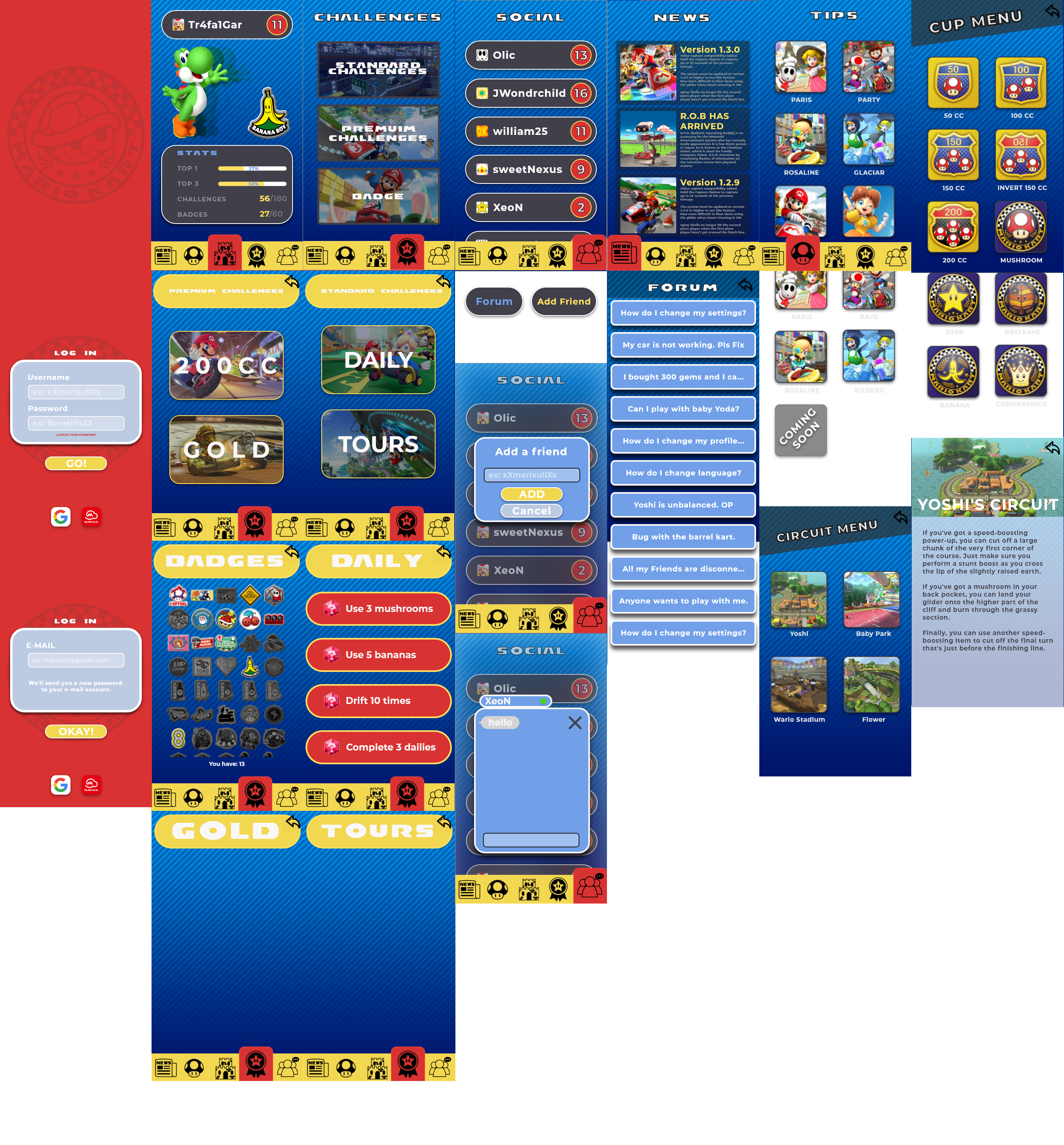
The experience begins with a simple login flow designed to be quick and familiar. Once inside, the home screen provides an overview of player stats, challenges, and achievements, giving immediate feedback on progression.
Navigation is designed to feel flexible. Users can move through the app either by tapping or swiping, allowing them to choose the interaction that feels most natural. This small decision helps the interface feel more fluid and less constrained.
The core of the app is the tips section, where information is organized in layers. Players move from broader structures like tours and cups down to individual races, where they can access specific advice. This transforms scattered knowledge into something structured and actionable.
Supporting sections like news and challenges keep the experience dynamic, while the social area introduces features like friends and forums, opening the door for future expansion.
System Thinking
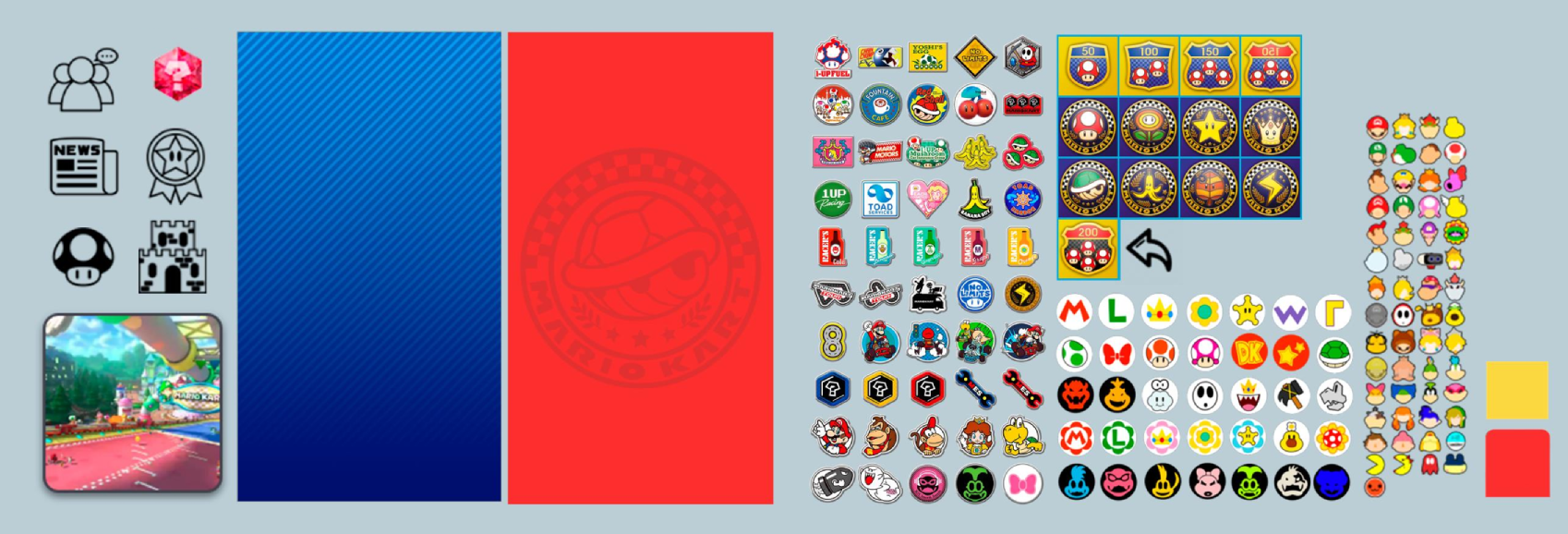
A consistent UI system was developed to support the entire app. Components, icons, and color usage were designed to be reusable and scalable, ensuring that every screen feels part of the same experience.
This approach made it easier to maintain consistency while working across multiple features and screens.
Final Result
The result is a companion app that simplifies how players access information and supports them in improving their performance. It brings together content that was previously scattered and presents it in a structured, accessible way, aligned with the tone and identity of the game.
Reflection
This project helped me focus more on structure and navigation, and less on isolated screens. It reinforced the importance of organizing information in a way that directly supports user goals.
If I revisited it, I would validate the experience through user testing and refine interaction patterns, particularly around navigation and content discovery.